
Maximising Video Conference Applications as Online Learning Media
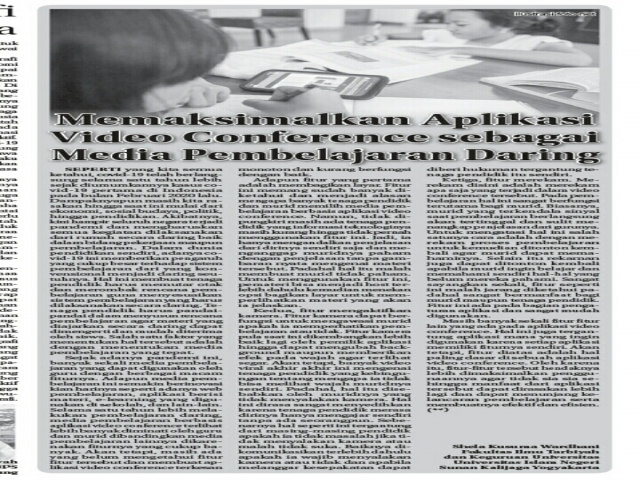
As we all know, covid-19 has been going on for more than a year since the first covid-19 case was announced in Indonesia in February 2020. Its impact is still felt today, from the economy and socio-culture to politics and education. As a result, almost all countries are now experiencing the pandemic, which requires all activities to be carried out from home online, in both work and learning. In education itself, covid-19 has had a considerable influence on the learning system, from conventional to entirely online. This has forced educators to rack their brains and overhaul their lesson plans to adapt the learning system, which must be carried out online. Educators must be clever in preparing lesson plans so that the material taught online can be understood and easily received by students. One of the factors that determine this is choosing the right learning media.
Since the pandemic, there have been very many learning media that teachers can use, with a wide range of features. These learning media are also innovating day by day, such as learning websites, applications containing material, e-learning used in schools, and others. During more than a year of online learning, learning media based on video conference applications appear to be favoured by teachers and students more than other learning media because of their many features. However, some people still do not know these features, which makes video conference applications seem monotonous and not functioning well.
The first feature is screen sharing. This feature is already widely known and is the reason why many educators and students choose learning media based on video conference applications. However, it cannot be denied that there are still educators whose information technology skills are lacking, to the point that they never use this feature. So they rely only on their own explanations and assume that their students understand the explanation without a real picture of the material. Yet this actually makes students not understand. To use this feature, the presenter can first become the host and then press the share screen option to show the material they will explain.
Second, the camera feature. The camera can be used to monitor whether students are paying attention to the lesson. The camera feature is also now being developed further by application owners so that it can change the background or add effects to the face to make it look fresh. However, there have been many viral videos lately about educators who are confused about why they cannot see their own students' faces, when the reason is that the students have not turned on their cameras. This feels very sad because educators feel as if they are teaching alone with no one there. In fact, this depends on each educator, whether they do not mind or instead dislike it when cameras are off. It would be best to communicate beforehand whether students are required to turn on their cameras, and if they violate the agreement they can be given a penalty depending on the educator.
Third, the recording feature. Recording here means recording everything that happens in the video conference. In learning, this is very useful, especially for students. Usually, students who have signal problems while the lesson is going on will fall behind and find it hard to grasp their teacher's explanation. One way to overcome this is to record the learning process so that it can be watched again for students to understand it. In addition, recordings can be watched again if students want to study and understand by themselves the things they have not yet understood. It is a pity that such a feature is rarely known, even though it is very beneficial for both students and educators. This feature is in the settings section of the application and is very easy to use.
There are still many other features in video conference applications. This also depends on which application is to be used, because each application has its own features. However, the features above are the most basic in a video conference application. Therefore, these features should be used to the fullest so that they are not wasted, so that the benefits of the application can be felt even more and can support the smooth running of learning and make it effective and efficient.
Comments (0)
No comments yet.